Introduction
You launched your website. It looks good. People are visiting it. Maybe you’re even investing in SEO or Google Ads.
Yet your inbox is empty.
No quote requests.
No phone calls.
No contact form submissions.
No sales.
This is one of the most common problems business owners face. Many assume that simply having a website will generate customers automatically. Unfortunately, that’s not how modern websites work.
A website is not a lead generation machine by default. It only becomes one when every part of the customer journey is designed to build trust, answer questions, remove objections, and encourage action.
The good news is that most websites don’t fail because of a single major issue. They fail because of several small problems working together.
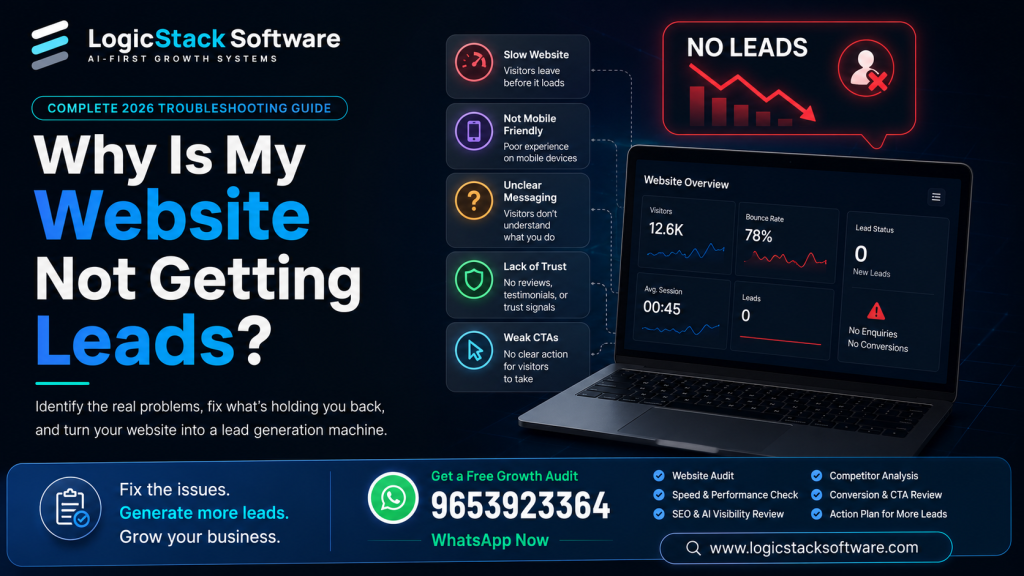
In this guide, we’ll walk through the most common reasons your website isn’t generating leads and show you how to identify and fix each one.
First, Ask Yourself These Questions
Before making changes, answer these honestly.
- Are people actually visiting your website?
- Are the right people visiting your website?
- Do visitors stay longer than a few seconds?
- Can visitors immediately understand what you offer?
- Is there a clear reason to contact your business?
- Can visitors trust your business?
- Is contacting you quick and easy?
If your answer is “No” to even one of these questions, you’ve likely found part of the problem.
Problem 1: You’re Getting the Wrong Visitors
One of the biggest misconceptions is believing that more traffic automatically means more leads.
It doesn’t.
A thousand visitors who aren’t looking for your service are less valuable than ten visitors actively searching for exactly what you offer.
For example, imagine you own a commercial interior design company in Dubai. If your website ranks for “office decoration ideas,” you may attract thousands of readers looking for inspiration but very few businesses ready to hire an interior designer.
On the other hand, ranking for “commercial office interior designer Dubai” may bring fewer visitors but significantly more qualified enquiries.
Signs this is your problem
- High traffic but almost no enquiries
- Visitors leave quickly
- Very few pages viewed per session
- Low conversion rate
- How to fix it
Focus on attracting people with buying intent rather than general information seekers. Build content around the real questions potential customers ask before making a purchase.
Problem 2: Visitors Don’t Understand What You Do
Many websites try to sound impressive instead of being clear.
A homepage filled with buzzwords like:
- Innovative Solutions
- Digital Excellence
- Next Generation Technology
doesn’t actually explain what the business does.
A visitor should understand within five seconds:
- What do you offer?
- Who is it for?
- Why should they choose you?
- What should they do next?
If these answers aren’t immediately obvious, many visitors will leave without exploring further.
How to fix it?
Replace vague marketing language with clear, customer-focused messaging. Explain your services in simple language and show how they solve real business problems.
Problem 3: There Is No Trust
People don’t buy from websites.
People buy from businesses they trust.
If someone lands on your website for the first time, they don’t know:
- whether you’re experienced,
- whether you’re reliable,
- whether you’ll deliver what you promise.
Without trust signals, visitors hesitate.
Strong trust indicators include:
- Real case studies
- Client testimonials
- Verified reviews
- Before-and-after results
- Team information
- Company credentials
- Industry certifications
- Clear contact details
The more evidence you provide, the easier it becomes for visitors to feel confident about contacting you.
Problem 4: Your Website Doesn’t Answer Buyer Questions
Potential customers almost always have questions before they make contact.
For example:
- How much does it cost?
- How long will it take?
- What’s included?
- Do you work in my city or country?
- What industries do you specialize in?
- What happens after I contact you?
If your website doesn’t answer these questions, visitors will often leave and continue their search elsewhere.
Create detailed service pages, FAQs, pricing guidance (where appropriate), and educational articles that remove uncertainty before someone reaches out.
Problem 5: Your Website Is Slow
Even a delay of a few seconds can increase abandonment.
Common causes include:
- oversized images,
- unnecessary scripts,
- poor hosting,
- excessive plugins,
- unoptimized code.
A slow website not only frustrates users but can also reduce search visibility.
Aim for fast loading times, especially on mobile devices, and regularly test performance using reliable website speed tools.
Problem 6: Your Website Doesn’t Work Well on Mobile
Most business searches now happen on mobile devices.
If users need to pinch, zoom, or struggle to tap buttons, many will leave immediately.
Check that your website:
- adapts to all screen sizes,
- has readable text,
- uses touch-friendly buttons,
- loads quickly on mobile networks,
- keeps contact options easy to access.
Problem 7: Your Calls to Action Are Weak or Missing
Many websites expect visitors to know what to do next.
But if you don’t ask people to take action, many simply won’t.
Every important page should guide visitors with clear actions such as:
- Request a quote
- Book a consultation
- Schedule a demo
- Contact our team
- Download a guide
The call to action should match the visitor’s stage in the buying journey.
Problem 8: You’re Not Measuring Anything
Without data, improving your website becomes guesswork.
Track key metrics such as:
- traffic sources,
- conversion rate,
- contact form submissions,
- phone call clicks,
- button clicks,
- scroll depth,
- bounce rate.
Analytics help you identify where visitors lose interest so you can improve the experience.
Problem 9: Your Website Looks Outdated
First impressions matter.
An outdated design can make visitors question whether your business is active, professional, or trustworthy.
Modern websites should feel:
- clean,
- fast,
- easy to navigate,
- visually consistent,
- accessible,
- focused on the user’s needs.
Problem 10: You Treat Your Website Like a Brochure
One of the biggest mistakes businesses make is creating a website once and never improving it.
Successful websites evolve continuously.
They add:
- new content,
- updated case studies,
- improved service pages,
- fresh FAQs,
- better calls to action,
- performance improvements,
- stronger trust signals.
Think of your website as an ongoing growth system rather than a one-time project.
Quick Website Lead Generation Checklist
Ask yourself:
- Can visitors understand what we do within five seconds?
- Are we attracting the right audience?
- Is our website fast?
- Does it work well on mobile?
- Are trust signals clearly visible?
- Do we answer common buyer questions?
- Are calls to action obvious?
- Are we tracking conversions?
- Is our content regularly updated?
- Does every page help visitors take the next step?
If you answered “No” to any of these, you now have a clear roadmap for improvement.
Final Thoughts
A website that doesn’t generate leads is rarely broken because of one major flaw. More often, it’s the result of several small issues that reduce trust, create friction, or fail to guide visitors toward taking action.
By improving the quality of your traffic, clarifying your message, strengthening trust, answering buyer questions, optimizing performance, and measuring user behavior, you can transform your website from a static online presence into a consistent source of qualified business enquiries.
Instead of asking, “Why isn’t my website getting leads?”, you’ll be asking, “How do we handle all these new enquiries?”
Still Not Getting Leads From Your Website?
If you’ve gone through this guide and your website is still not generating enquiries, don’t worry—many businesses face the same challenge. The good news is that most lead-generation issues can be identified with a proper website audit.
At LogicStack Software, we analyze your website’s design, user experience, SEO, speed, mobile performance, conversion path, trust signals, and AI search readiness to find out exactly what’s stopping visitors from becoming customers.
📞 Call or WhatsApp: +91 96539 23364
Get a professional website growth audit and discover what’s preventing your website from generating qualified leads.